
Video maker1.14 - Google Play
Please wait ... The app listing is being verified for availability.
You'll be able to see results in few seconds.
You'll be able to see results in few seconds.
Publisher Description
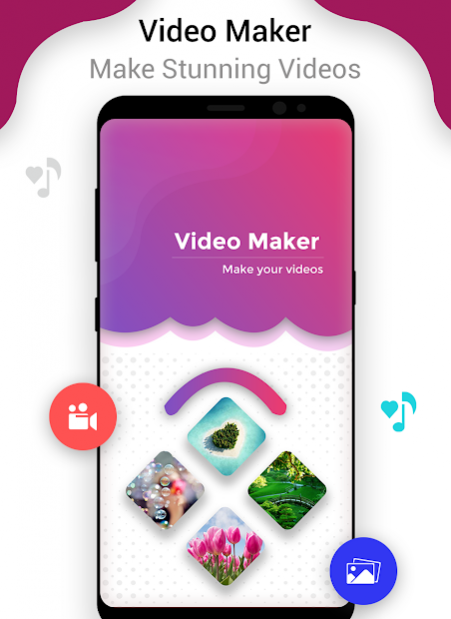


If you have a large collection of pictures that you would like to share then turning photos into a video is probably the best choice. Videos have a great effect on the minds of people; Videos are particularly good if you have a set of photos from a particular event. Using the app, you can also add music to the video.
Features:
Turn photos into a video:
It is pretty simple to convert your saved photos into a complete video. Just open your picture gallery and select the related pictures, add a music or any sound to give a better effect. People do make videos of special occasions like wedding, birthday, religious festivals etc.
Set time:
You can easily adjust the time of your pictures. If you want fast results, then adjust the time to the lower number. And if you want a slow going video, then set the timing to the highest number. This time is in second between two pictures.
Add a sound to your videos:
Add sounds related to your pictures. Like add sound/audio of a birthday song if you are making a video of the birthday party. It all depends upon on you what kind of sound you choose to make your videos look perfect. You can also create video without audio also.
Affects on video:
Now you can make video more attractive by applying special affects on it. You can apply gray scale, purple, night affect etc. Choose your filter if you want to change your video.
Share the videos:
After creating the newly created video, you can easily share the videos with your friends and family. Share your creative videos with your loved ones and show them the full event in a couple of minutes. Your friends will then be able to share the created into as their video status.
Refresh the editing process:
Once you created a video and want to create a new video, you can refresh the changes just by tapping the ‘Refresh’ icon at the top right. This will enable you to get the default settings.
Rate the app:
If you really like the app features then you can rate the app easily. Ratings help the developer to make more apps like this. Your appreciation will be highly regarded.
Feedback:
We always need to listen your feedback. Just send us your important ideas related to the app. If you want to make certain changes about the app, just write down to us by tapping the “Feedback” tab on the top left.
How to use the app?
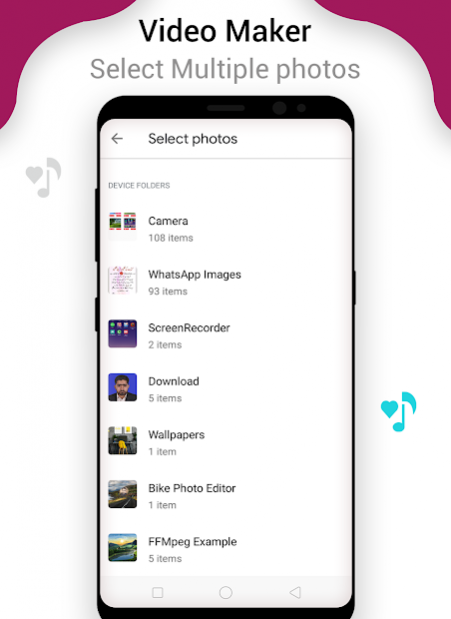
After installing the app, open the “Select Images” tab just select images from your photo gallery and Google Drive as well.
After selecting the photos, set the time of the video that you want to create. That time is between two pictures in seconds.
Add sound/audio of your choice to your video relevant to the occasion by tapping the “Select Audio”.
Now click on the “Start Process” tab to start making the videos.
To create a new video, just tap the “Refresh” button. It will take the app into the default
settings. What are you waiting for? Just goto app, choose pictures and love song audio and create video and dedicate to your lovers...
About Video maker
Video maker is a free app for Android published in the Video Tools list of apps, part of Audio & Multimedia.
The company that develops Video maker is VIDEO WORLD (PVT.) LIMITED. The latest version released by its developer is 1.14.
To install Video maker on your Android device, just click the green Continue To App button above to start the installation process. The app is listed on our website since 2021-05-22 and was downloaded 0 times. We have already checked if the download link is safe, however for your own protection we recommend that you scan the downloaded app with your antivirus. Your antivirus may detect the Video maker as malware as malware if the download link to video.maker.multiple.images.custom.audio.sound is broken.
How to install Video maker on your Android device:
- Click on the Continue To App button on our website. This will redirect you to Google Play.
- Once the Video maker is shown in the Google Play listing of your Android device, you can start its download and installation. Tap on the Install button located below the search bar and to the right of the app icon.
- A pop-up window with the permissions required by Video maker will be shown. Click on Accept to continue the process.
- Video maker will be downloaded onto your device, displaying a progress. Once the download completes, the installation will start and you'll get a notification after the installation is finished.
Program Details
System requirements
Operating systems
Android
Download information
File size
34.6 MB
Total downloads
0
Pricing
License model
Free
Price
Version History
Here you can find the changelog of Video maker since it was posted on our website on 2021-04-26. The latest version is 1.14 and it was updated on Apps112 on 10 October, 2026. See below the changes in each version:
version 1.14
posted on 2021-05-22
Disclaimer
Official Google Play Link
We do not host Video maker on our servers. We did not scan it for viruses, adware, spyware or other type of malware. This app is hosted by Google and passed their terms and conditions to be listed there. We recommend caution when installing it.
The Google Play link for Video maker is provided to you by apps112.com without any warranties, representations or guarantees of any kind, so access it at your own risk.
If you have questions regarding this particular app contact the publisher directly. For questions about the functionalities of apps112.com contact us.
